Create your canvas
Upload a photo, pick a size, and adjust the crop if you want to.
1
Upload
2
Choose Size
3
Review
Choose a photo from your device to get started.
Or pick one you uploaded before
How your canvas will look at this size. Edge and depth are chosen next.
Your whole photo is used, centred on the size you pick.
Choose a Size
Upload a photo to see sizes matched to its shape.
Approximate preview of how your canvas will wrap and hang.
Change size
These all match your crop, so your framing stays exactly as you set it.
Select Edge Option
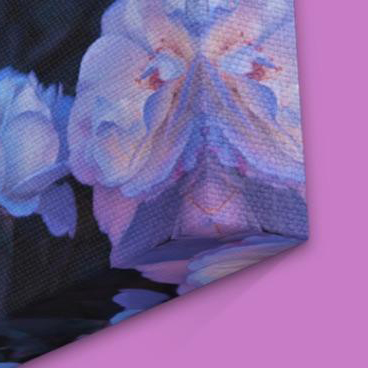
Mirrored Edge
Reflects the perimeter of your photo onto the sides
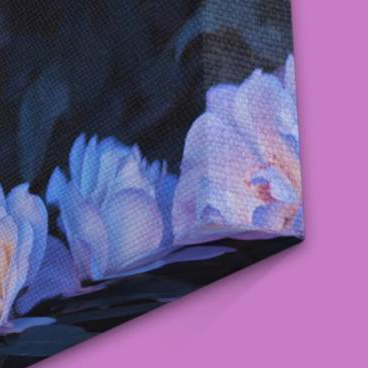
Wrapped Edge
Your original photo wraps onto the sides
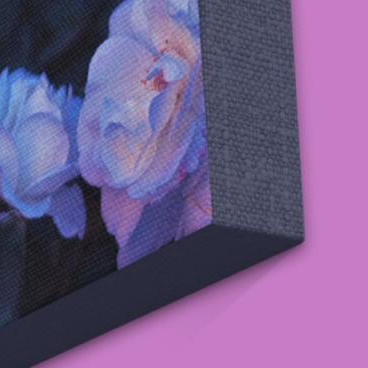
Coloured Edge
Your choice of any colour
Select Canvas Depth
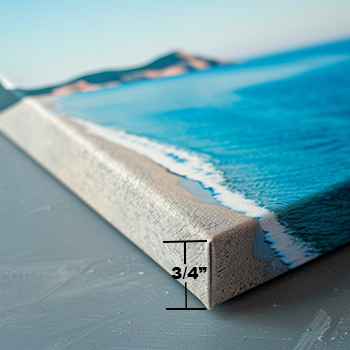
3/4" Depth
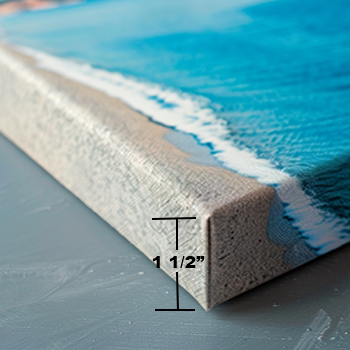
1 1/2" Depth
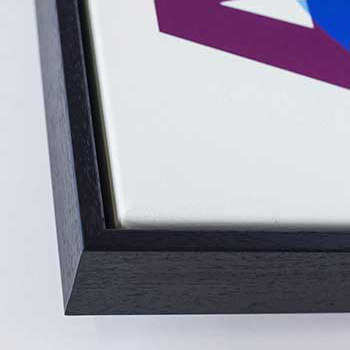
1 1/2" Floater Frame
+$0.00
Order Summary
Size -
Price -
Frame -
Total -